Chapter 17: Your First Project
Everything you've learned comes together now. You understand the loop, you know how to decompose problems, you can communicate precisely with AI, and you can read and verify code. Time to build something real.
The Three Phases
Every successful project follows three phases: plan, build, and refine. This isn't bureaucracy—it's how working software gets made.
 {: .chapter-diagram}
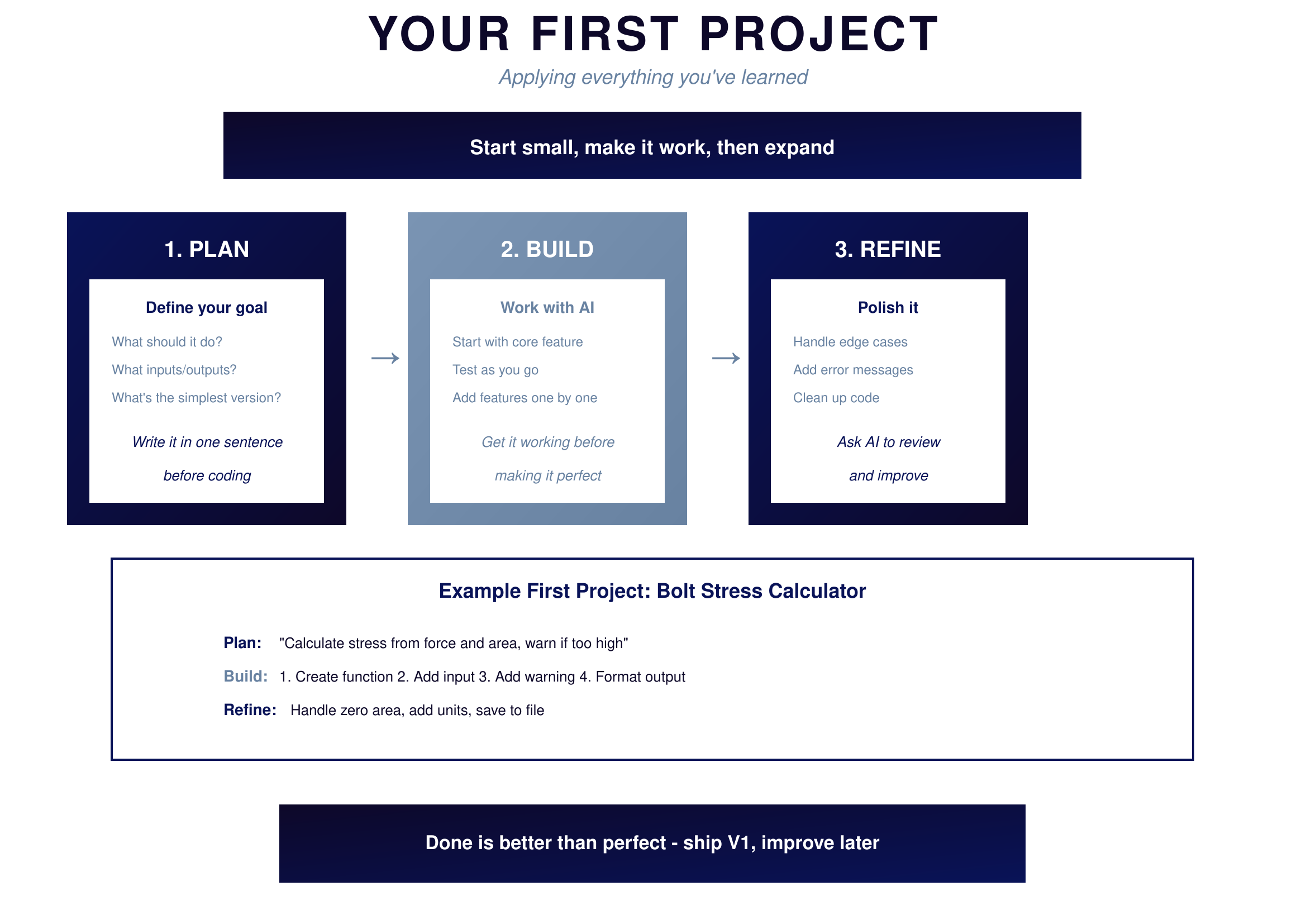
Figure 17.1: Your First Project — The approach
{: .diagram-caption}
{: .chapter-diagram}
Figure 17.1: Your First Project — The approach
{: .diagram-caption}
Planning means defining your goal before touching the keyboard. What should the program do? What goes in, what comes out? What's the simplest version that would still be useful? Write it in one sentence. If you can't describe it simply, you don't understand it yet.
Building means working with AI to create each piece. Start with the core feature. Get it working. Test it. Then add the next feature. One piece at a time, one working step at a time. Get it working before making it perfect. Perfection is the enemy of done.
Refining means polishing what you've built. Handle edge cases. Add helpful error messages. Clean up the code so others can understand it. Ask AI to review your code and suggest improvements. This is where good becomes great.
Project Checklist
Before calling a project complete, run through this mental checklist. It catches the issues that trip up beginners.
 {: .chapter-diagram}
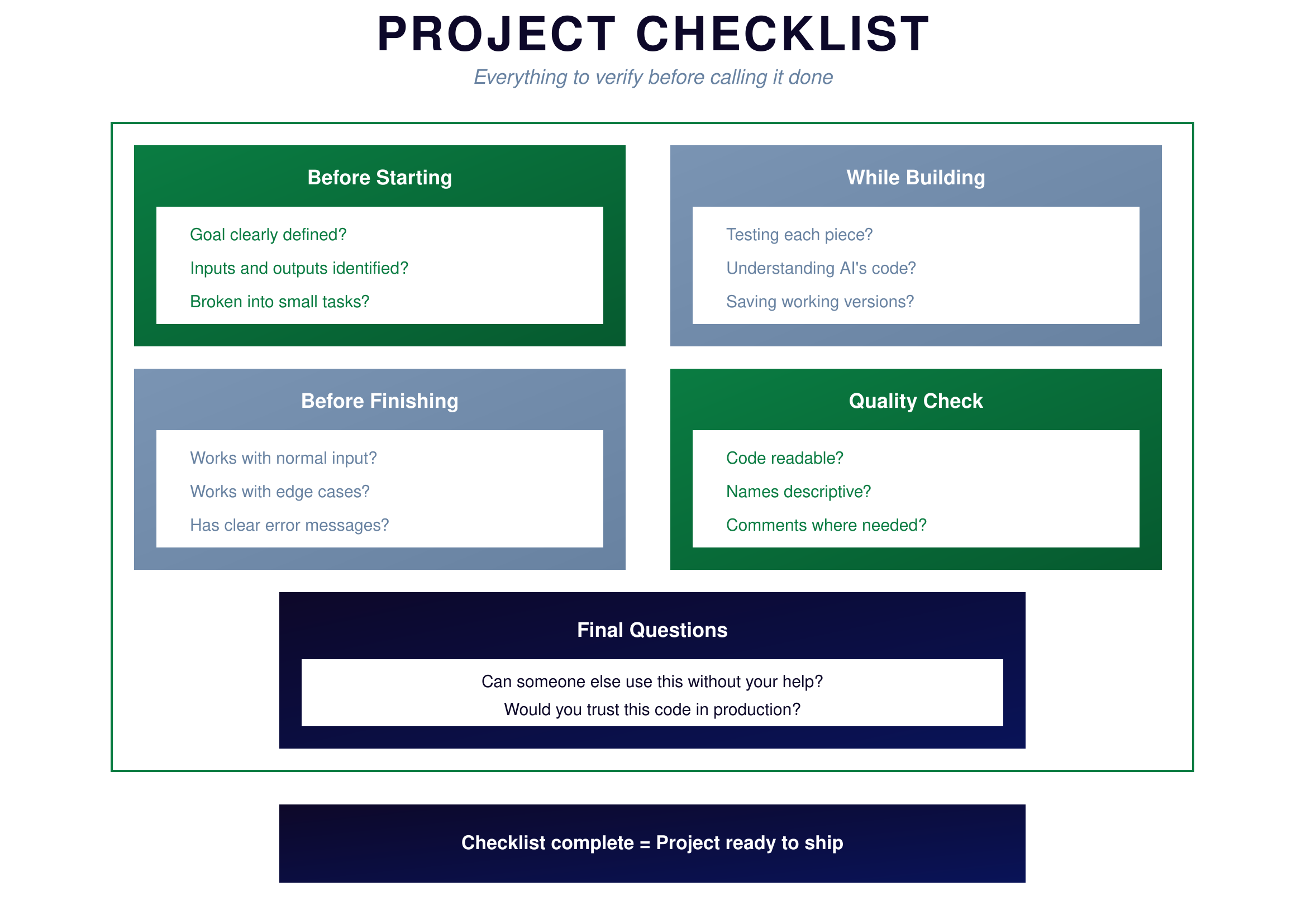
Figure 17.2: Project Checklist — Before you ship
{: .diagram-caption}
{: .chapter-diagram}
Figure 17.2: Project Checklist — Before you ship
{: .diagram-caption}
Before starting, verify your goal is clearly defined, you've identified inputs and outputs, and you've broken the work into small testable tasks. If any of these are fuzzy, clarify them first—time spent planning saves time debugging.
While building, make sure you're testing each piece as you go, understanding the code AI generates rather than blindly trusting it, and saving working versions so you can roll back if something breaks.
Before finishing, confirm it works with normal inputs, handles edge cases gracefully, and provides clear error messages when things go wrong.
For quality, check that the code is readable, names are descriptive, and comments explain the non-obvious parts. Code you can't understand tomorrow isn't really done today.
The ultimate test: Can someone else use this without your help? Would you trust this code to run on important data? If yes to both, you're ready to ship.
Try It Yourself
Practice the project workflow:
- "Help me plan a simple unit converter. What should the inputs and outputs be?"
- "Create the core function: convert_temperature(value, from_unit, to_unit)"
- "Test it: what should convert_temperature(100, 'C', 'F') return?"
- "What edge cases should I handle for a temperature converter?"
- "Add an error message for invalid unit types"
- "Review this code and suggest improvements: [paste your code]"
Key Takeaway
Building your first real project follows three phases: plan what you want, build it piece by piece, and refine it until it's ready. Start small, get it working, then expand. Use the checklist to catch issues before shipping. The project above demonstrates that with the skills you've learned, you can build real, useful tools. Now it's your turn to create something that solves a problem you care about.
In the final chapter, we'll look at where to go from here.