Chapter 11: Getting Unstuck
Getting stuck is normal. Recognizing it early saves time.
 {: .chapter-diagram}
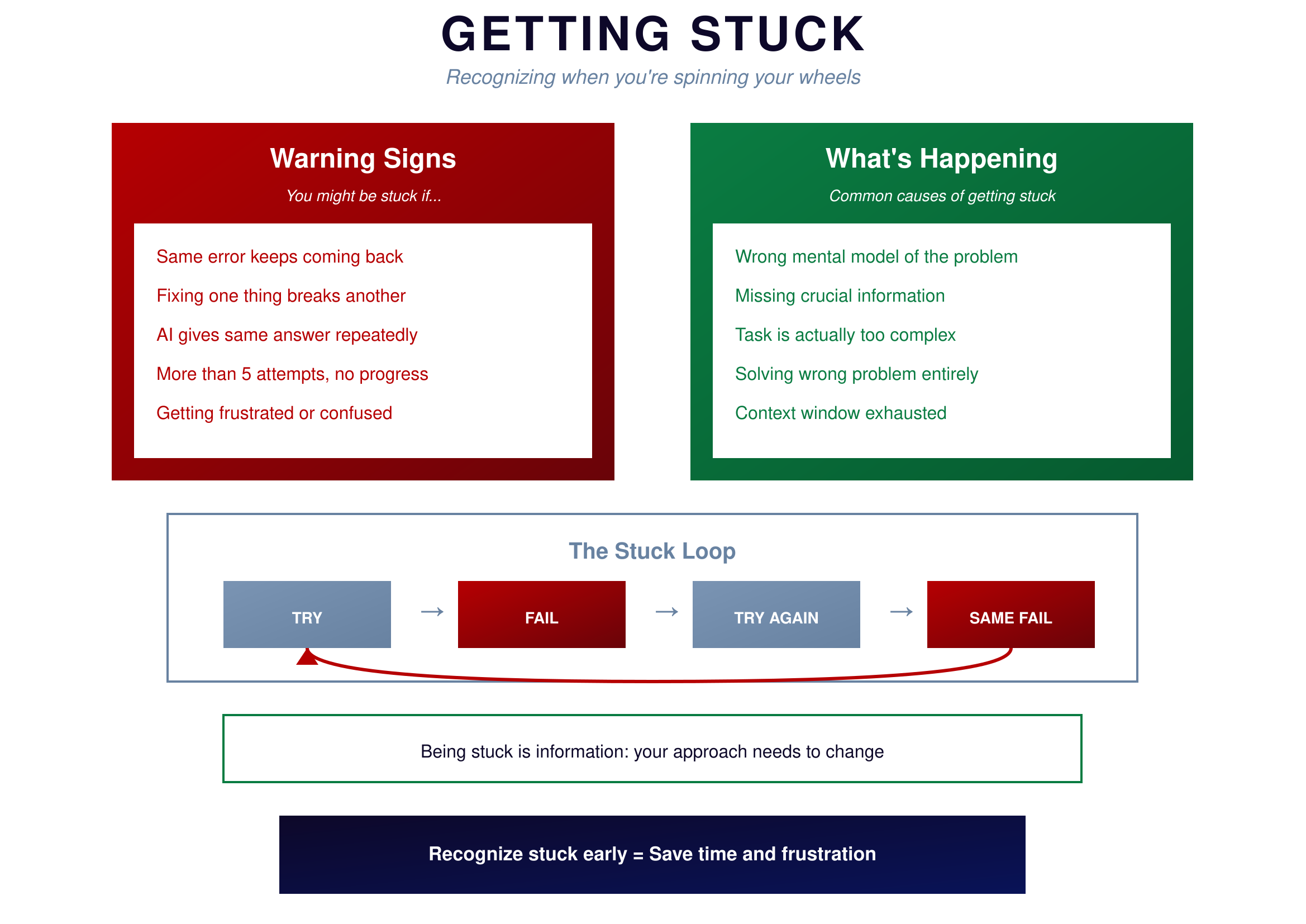
Figure 11.1: The Stuck Loop — Recognize it early
{: .diagram-caption}
{: .chapter-diagram}
Figure 11.1: The Stuck Loop — Recognize it early
{: .diagram-caption}
The warning signs are clear: the same error keeps coming back, fixing one thing breaks another, AI gives the same answer repeatedly, you've made more than five attempts without progress, and you're feeling frustrated or confused. These aren't random problems—they're symptoms of being stuck.
What's actually happening underneath varies. You might have the wrong mental model of the problem. You might be missing crucial information. The task might be too complex for a single prompt. You might be solving the wrong problem entirely. Or the AI's context window might be exhausted with too much back-and-forth.
The stuck loop looks like this: TRY → FAIL → TRY AGAIN → SAME FAIL → back to TRY. You're going in circles. Each attempt looks slightly different but you're not actually making progress. The key is recognizing this pattern early instead of grinding through it.
Escape Routes
There are six ways to get unstuck. Pick one based on your situation.
 {: .chapter-diagram}
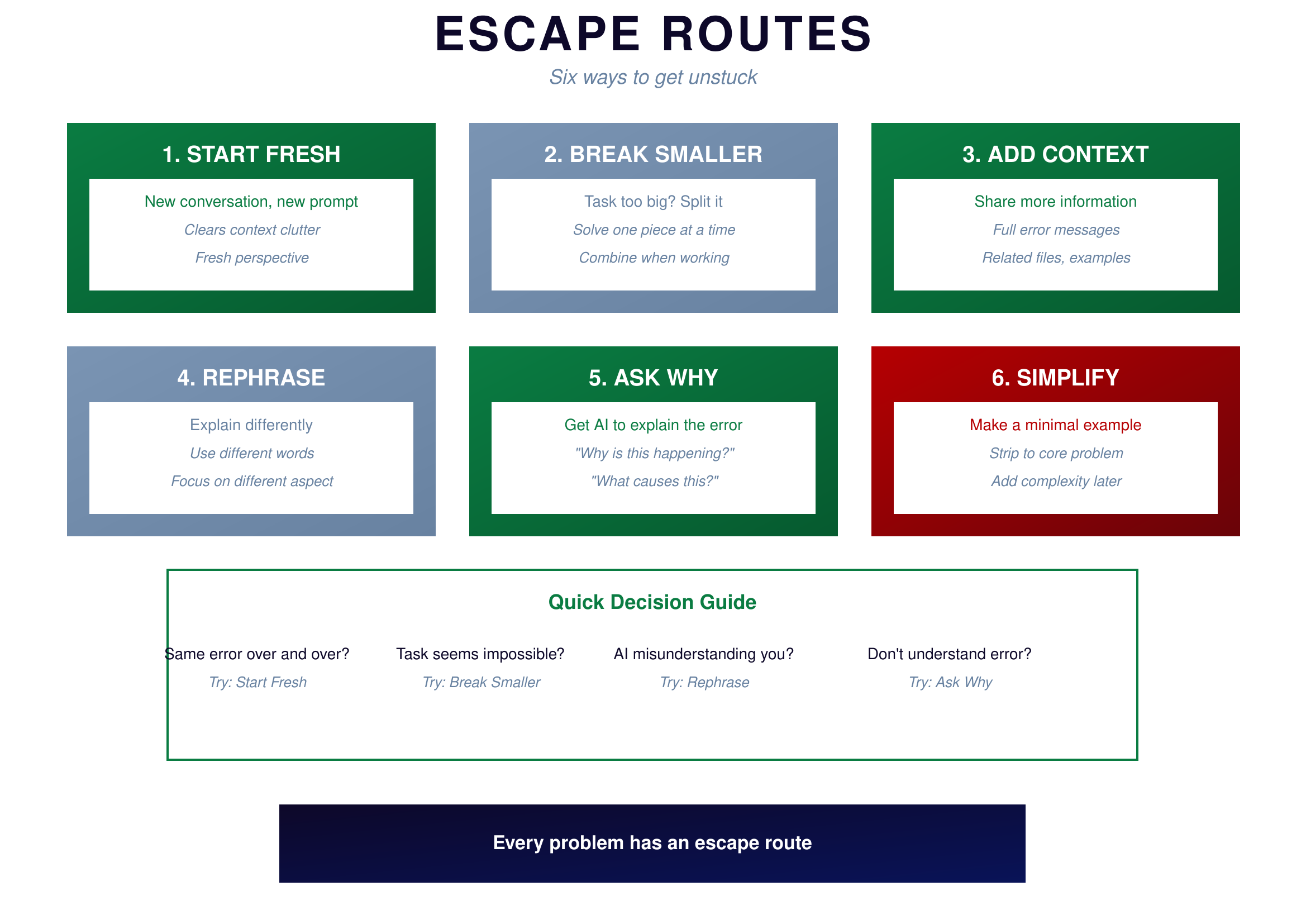
Figure 11.2: Escape Routes — Six ways out
{: .diagram-caption}
{: .chapter-diagram}
Figure 11.2: Escape Routes — Six ways out
{: .diagram-caption}
Starting fresh means beginning a new conversation with a new prompt. This clears context clutter and gives you a fresh perspective. Use this when the same error keeps repeating despite multiple fix attempts.
Breaking smaller means splitting the task into smaller pieces. If the task seems impossible, maybe it's actually several tasks pretending to be one. Solve each piece independently, then combine them when they work.
Adding context means sharing more information with AI. Include full error messages, related files, and examples of expected behavior. Use this when AI seems confused about your situation or keeps giving irrelevant suggestions.
Rephrasing means explaining your problem differently. Use different words or focus on a different aspect of the problem. Sometimes AI misunderstands your first explanation and a new way of saying it clicks immediately.
Asking why means getting AI to explain the error instead of just fixing it. Questions like "why is this happening?" and "what causes this?" can reveal understanding you're missing. Use this when you don't understand the error yourself.
Simplifying means making a minimal example that reproduces the problem. Strip the problem to its core—remove everything that isn't essential. If the minimal version works, add complexity back piece by piece until you find what's breaking.
Try It Yourself
Practice escape routes:
- Start fresh: "New approach: I need to [describe goal]. Forget previous attempts."
- Break smaller: "Just the first step: read the file. Don't process it yet."
- Add context: "Here's the full error, the code, and sample input: [paste all three]"
- Rephrase: "Let me explain differently: I have X, I want Y, the problem is Z."
- Ask why: "Why does this error happen? What causes 'NoneType' errors in general?"
- Simplify: "Here's a minimal example that fails: [3 lines of code]. Why doesn't this work?"
Key Takeaway
Getting stuck happens to everyone. The skill is recognizing it early and choosing an escape route. If you've tried five times with no progress, stop. Ask yourself: Should I start fresh? Break smaller? Add context? Rephrase? Ask why? Simplify? One of these will get you moving again. Stuck is temporary when you have strategies to escape.
In Part 4, we'll develop your code literacy—the ability to read and understand code even when you didn't write it.