Chapter 3: Six Operations
Everything you'll ever do with AI coding falls into six categories. Just six. Once you recognize them, you'll never be confused about what to ask for again.
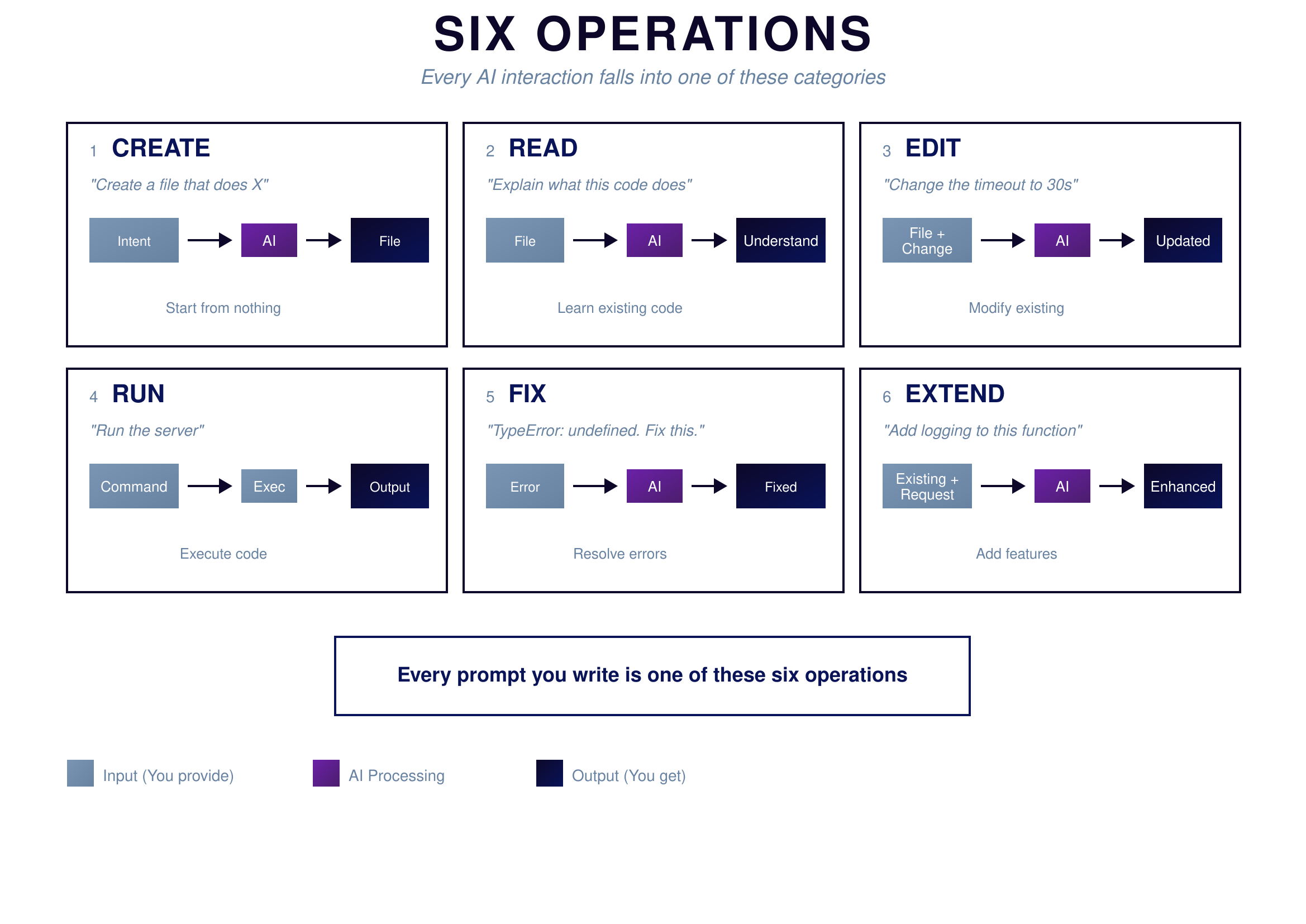 {: .chapter-diagram}
Figure 3.1: The Six Operations — Everything you can do with AI
{: .diagram-caption}
{: .chapter-diagram}
Figure 3.1: The Six Operations — Everything you can do with AI
{: .diagram-caption}
The first operation is creating something new. This is where most projects begin. You describe what you need—a function that calculates beam deflection, a script that converts file formats, a tool that processes data—and AI generates code that didn't exist before. Creation is exciting but also where beginners often struggle, because you're starting from nothing and the possibilities feel endless.
The second operation is reading and understanding existing code. Maybe you inherited code from a colleague, or you're revisiting something you wrote six months ago and can't remember how it works. AI excels at explanation. Paste in a function and ask what it does. Point to a confusing line and ask why it's there. Reading code is a skill that even experienced programmers need help with, and AI has infinite patience for explaining.
The third operation is editing—taking code that already works and modifying it. You might need to change units from imperial to metric, adjust output formats, or modify how the code handles certain inputs. Editing is often safer than creating from scratch because you're building on a foundation that already works. You know the basic structure is sound; you're just adjusting details.
The fourth operation is running the code, and this is the only one AI cannot do for you. You have to execute the code yourself and observe what happens. This is your reality check. Code that looks perfect might fail in practice. Functions that seem complete might produce wrong answers. Running code connects the abstract world of instructions to the concrete world of results. Never skip this step.
The fifth operation is fixing errors. When code fails—and it will—you enter debugging mode. The best approach is direct: paste the error message exactly as it appears, include the relevant code, and ask AI to fix it. Error messages often look intimidating but usually point directly to the problem. The more context you provide about what you expected versus what happened, the faster AI can diagnose the issue.
The sixth operation is extending functionality. Your basic code works, but now you want it to do more. Perhaps your calculator should also save results to a file, or your data processor should handle a new file format, or your analysis tool should generate charts. Extension means adding capabilities incrementally, building on proven foundations rather than starting over.
When you're stuck and don't know what to ask, identify which operation you need. When your prompt isn't getting good results, check whether you're clearly doing one operation at a time. This vocabulary—create, read, edit, run, fix, extend—makes communication with AI precise and effective.
Try It Yourself
Practice each operation:
- Create: "Write a function that calculates bolt stress from force and area"
- Read: "Explain what this code does:
result = [x*2 for x in range(10)]" - Edit: "Change this function to use millimeters instead of meters"
- Fix: "I get 'TypeError: unsupported operand type'—here's my code..."
- Extend: "Add the ability to save results to a CSV file"
- Read: "Why does this loop run forever?"
Key Takeaway
Every interaction with AI for coding is one of six operations: Create, Read, Edit, Run, Fix, or Extend. When you're confused about what to ask, identify which operation you need. When your prompt isn't working, make sure you're clearly performing one operation at a time. This vocabulary makes communication with AI precise and effective.
In Part 2, we'll develop the skills you need to perform these operations well—starting with how to break big problems into small pieces.