Chapter 15: Data and Files
Data Structures
Data structures are ways to organize multiple pieces of data. Choosing the right structure makes your code cleaner and faster.
 {: .chapter-diagram}
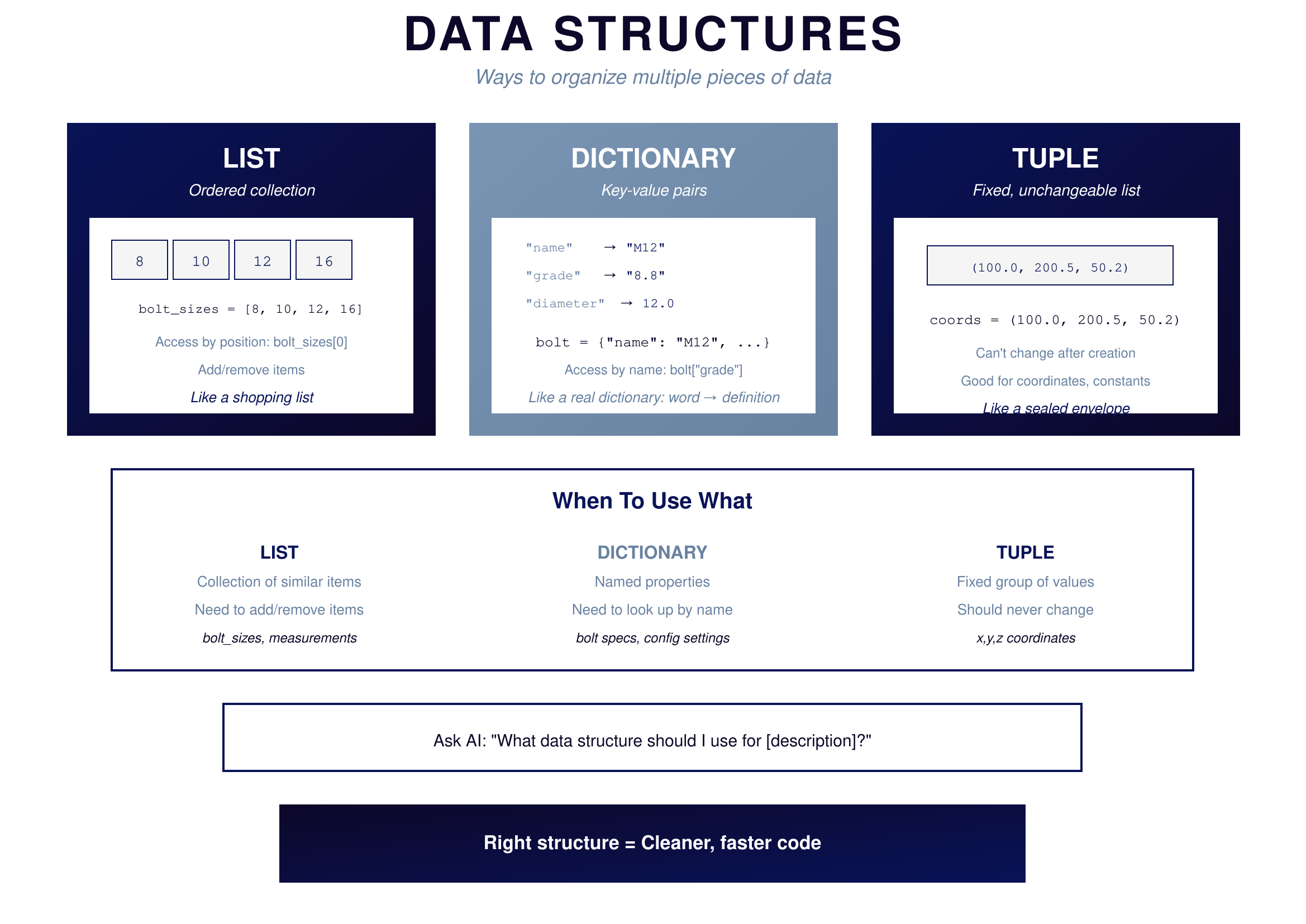
Figure 15.1: Data Structures — Organizing data
{: .diagram-caption}
{: .chapter-diagram}
Figure 15.1: Data Structures — Organizing data
{: .diagram-caption}
A LIST is an ordered collection. When you write bolt_sizes = [8, 10, 12, 16], you're creating a sequence where order matters. Access items by position: bolt_sizes[0] gives you 8 (positions start at 0). You can add items, remove items, and process them in order. Think of it like a shopping list.
A DICTIONARY stores key-value pairs. When you write bolt = {"name": "M12", "grade": "8.8", "diameter": 12.0}, you're creating named properties. Access items by name: bolt["grade"] gives you "8.8". Think of it like a real dictionary where words map to definitions.
A TUPLE is a fixed, unchangeable list. When you write coords = (100.0, 200.5, 50.2), you're creating a sequence that can never be modified after creation. Good for coordinates, constants, and data that should never change. Think of it like a sealed envelope.
Use a list when you have a collection of similar items and need to add or remove. Use a dictionary when you have named properties and need to look up by name. Use a tuple when you have a fixed group of values that should never change.
Files and I/O
Files are permanent storage. When your program ends, variables disappear, but files persist. This is how you save results and load data.
 {: .chapter-diagram}
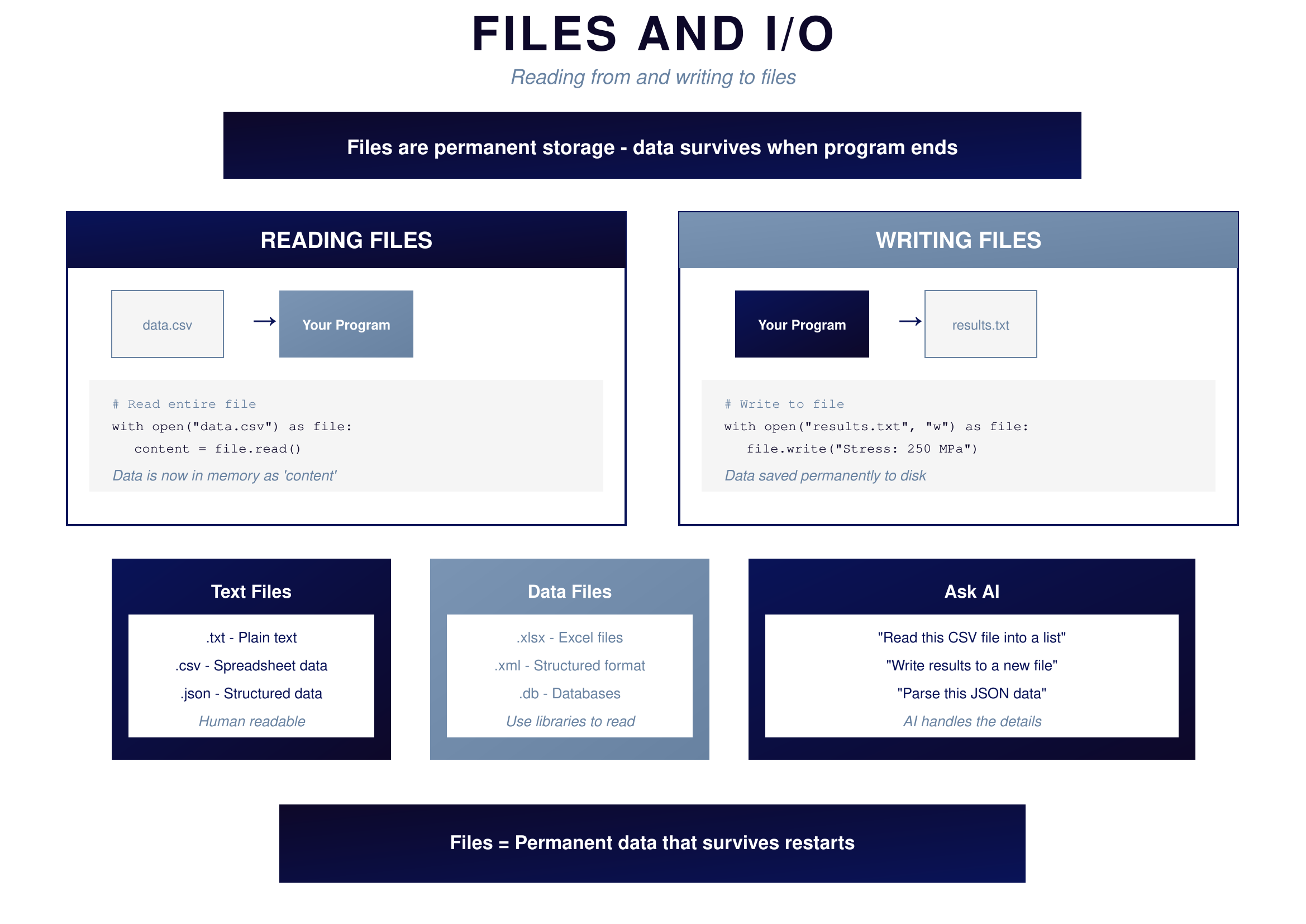
Figure 15.2: Files and I/O — Permanent storage
{: .diagram-caption}
{: .chapter-diagram}
Figure 15.2: Files and I/O — Permanent storage
{: .diagram-caption}
To read a file, you open it and load its contents into memory: with open("data.csv") as file: content = file.read(). The data flows from disk into your program where you can process it.
To write a file, you open it for writing and send data to it: with open("results.txt", "w") as file: file.write("Stress: 250 MPa"). The data flows from your program to disk where it persists after the program ends.
Common file types fall into two categories. Text files are human-readable: .txt for plain text, .csv for spreadsheet data, .json for structured data. Data files require libraries to read: .xlsx for Excel files, .xml for structured format, .db for databases.
Try It Yourself
Practice with data structures and files:
- "Create a list of bolt sizes: 8, 10, 12, 16"
- "Create a dictionary for a bolt with name, grade, and diameter"
- "How do I access the third item in a list?"
- "Show me how to read a CSV file and print each row"
- "How do I write results to a text file?"
- "What's the difference between a list and a tuple?"
- "Create a dictionary and loop through all its keys and values"
Key Takeaway
Data structures organize your data: lists for ordered collections, dictionaries for named properties, tuples for fixed values. Files make data permanent: text files for simple content, CSV for tabular data, JSON for structured data. The typical workflow is load data from files, process it with your code, and save results back to files. AI handles the syntax details—you focus on what data you need and how to organize it.
In the next chapter, we'll cover quality—how to test your code and organize your projects.