Chapter 14: Functions and Libraries
Functions
A function is like a machine: put something in, get something out. Functions let you package code into reusable building blocks that you can use over and over.
 {: .chapter-diagram}
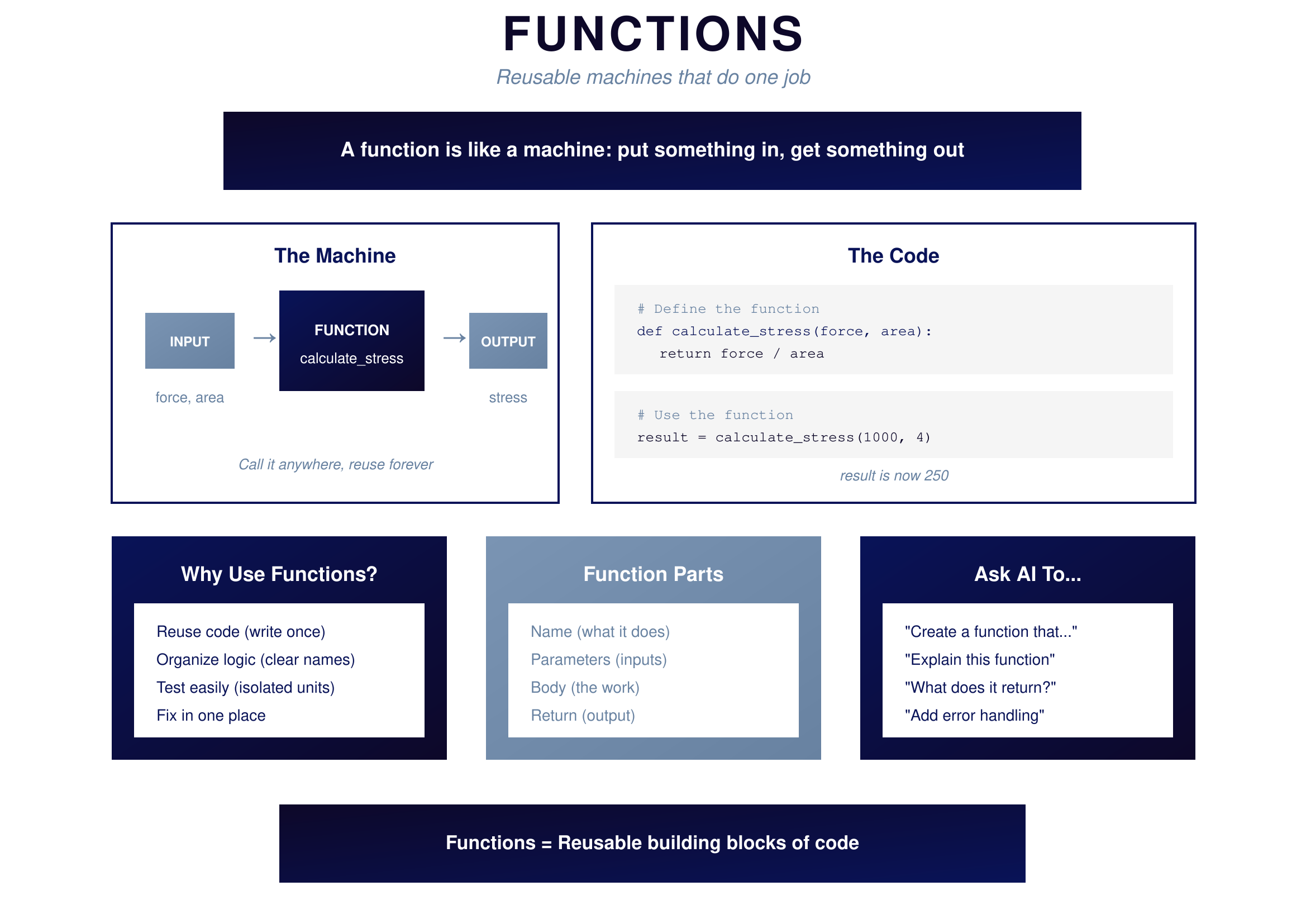
Figure 14.1: Functions — Reusable building blocks
{: .diagram-caption}
{: .chapter-diagram}
Figure 14.1: Functions — Reusable building blocks
{: .diagram-caption}
When you write def calculate_stress(force, area): return force / area, you're creating a machine called calculate_stress that takes two inputs (force and area), does some work (divides them), and returns the result. Later, you can use this machine anywhere: result = calculate_stress(1000, 4) gives you 250.
Every function has four parts. The name describes what it does (calculate_stress). The parameters are the inputs it needs (force, area). The body is the work it performs (return force / area). The return is the output it produces (the calculated stress value).
Functions matter because they let you reuse code—write once, use many times. They organize logic with clear names for clear operations. They make testing easy because you can verify isolated units. And they centralize fixes—change the function once and all uses are updated.
Libraries
Libraries are pre-built code you can use. They're collections of functions that others have written and tested so you don't have to reinvent the wheel.
 {: .chapter-diagram}
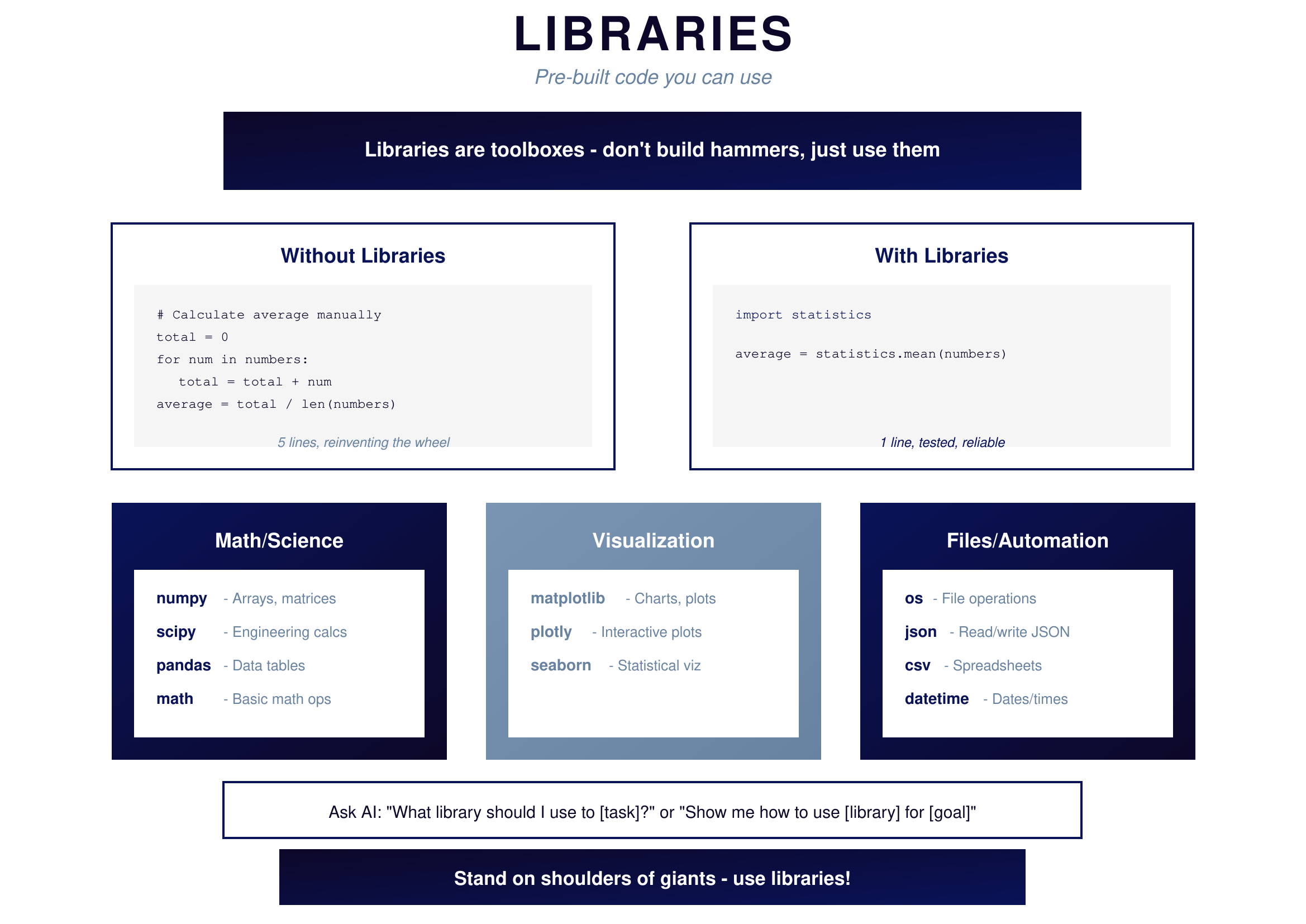
Figure 14.2: Libraries — Stand on shoulders of giants
{: .diagram-caption}
{: .chapter-diagram}
Figure 14.2: Libraries — Stand on shoulders of giants
{: .diagram-caption}
Without libraries, calculating an average takes five lines of manual code: initialize a total, loop through numbers, accumulate the sum, divide by count. With libraries, it takes one line: import statistics then statistics.mean(numbers). One line, tested, reliable, correct.
For engineers, certain libraries are essential. For math and science: numpy handles arrays and matrices, scipy provides engineering calculations, pandas works with data tables, and math offers basic operations. For visualization: matplotlib creates charts and plots, plotly makes interactive visualizations, seaborn produces statistical graphics. For files and automation: os manages file operations, json reads and writes JSON data, csv handles spreadsheet formats, and datetime works with dates and times.
When you need something specific, ask AI: "What library should I use to [task]?" or "Show me how to use [library] for [goal]."
Try It Yourself
Practice with functions and libraries:
- "Create a function called calculate_area that takes width and height and returns the area"
- "What library should I use to calculate the mean of a list of numbers?"
- "Show me how to use pandas to read a CSV file"
- "Create a function that takes a list and returns only numbers greater than 10"
- "What does numpy.array() do and when would I use it?"
- "Show me how to import and use the math library to calculate a square root"
Key Takeaway
Functions package code into reusable building blocks—define once, use anywhere. Libraries are collections of functions others have already written and tested. Together, they let you build powerful programs quickly. When you need a capability, first check if a library exists. When you write code you'll use more than once, make it a function.
In the next chapter, we'll explore how to work with data structures and files.