Chapter 5: Precision
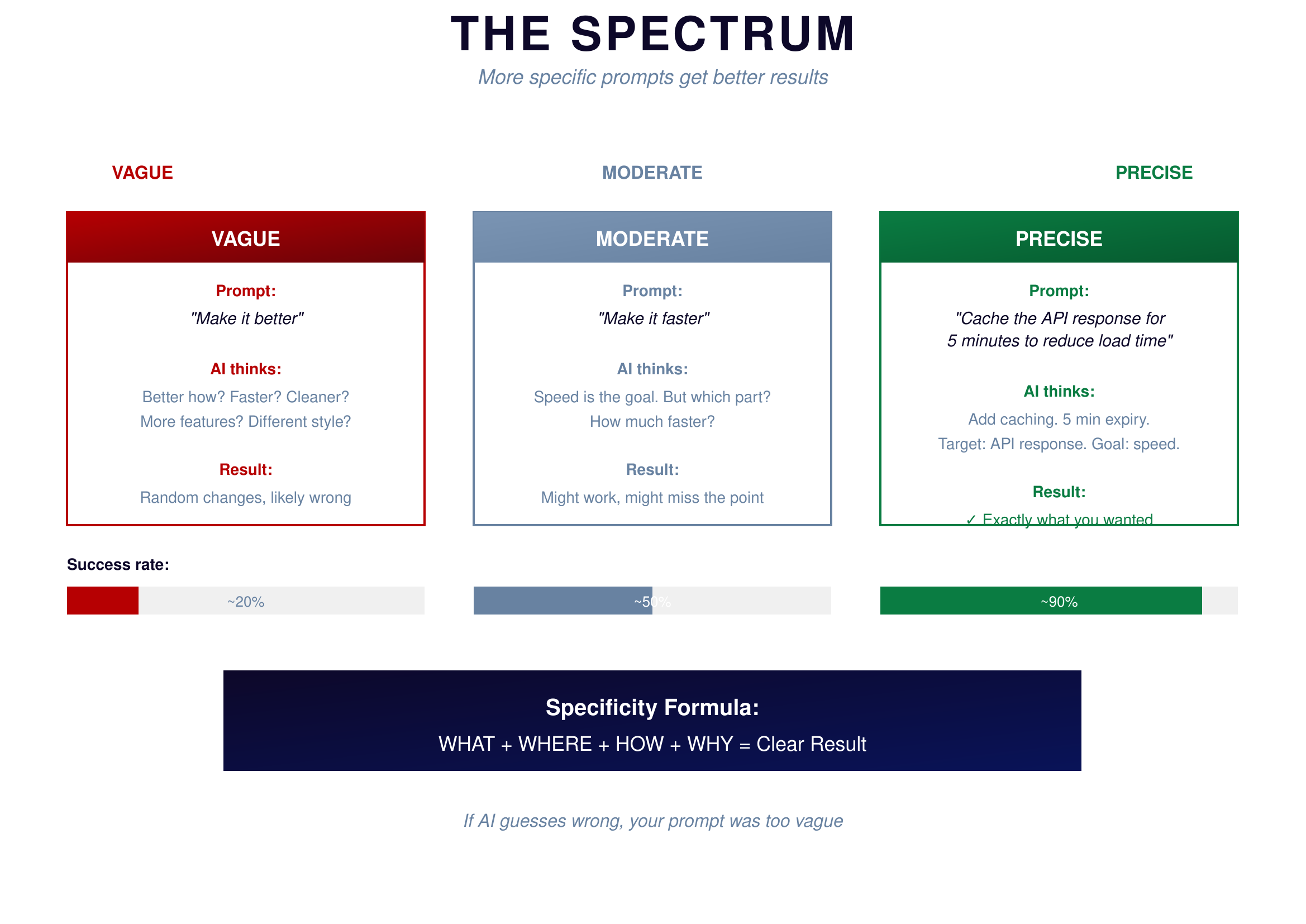
Not all prompts are equal. There's a spectrum from vague to precise, and where you land on that spectrum determines your success rate.
 {: .chapter-diagram}
Figure 5.1: The Spectrum — From vague to precise
{: .diagram-caption}
{: .chapter-diagram}
Figure 5.1: The Spectrum — From vague to precise
{: .diagram-caption}
Look at this gradient bar. On the left, in red: VAGUE. On the right, in blue: PRECISE. Your goal is to move as far right as possible before hitting send.
A vague prompt like "Help me with calculations" has maybe a 20% success rate. AI has no idea what calculations you mean. What inputs? What outputs? What domain? It will guess, and it will probably guess wrong. You'll spend the next hour trying to get what you actually wanted.
A medium prompt like "Write a stress calculation function" improves to around 50%. Better—AI knows the domain now. But what kind of stress? What inputs does the function take? What should it return? Still too much guessing required.
A precise prompt transforms everything. "Write a Python function called calculate_tensile_stress that takes force in Newtons and area in square millimeters, returns stress in MPa, and raises an error if either input is negative." This hits 90%+ success rate. AI knows exactly what to build: the function name, the inputs, the output, the units, the error handling—it's all specified.
Yes, writing precise prompts takes more time upfront. But it saves enormous time in the loop. Would you rather spend 2 minutes writing a good prompt and get working code, or spend 30 seconds on a vague prompt and then 20 minutes trying to fix what AI gives you?
Five Components of a Good Prompt
Here's a framework for building precise prompts. Five components, each adding clarity.
 {: .chapter-diagram}
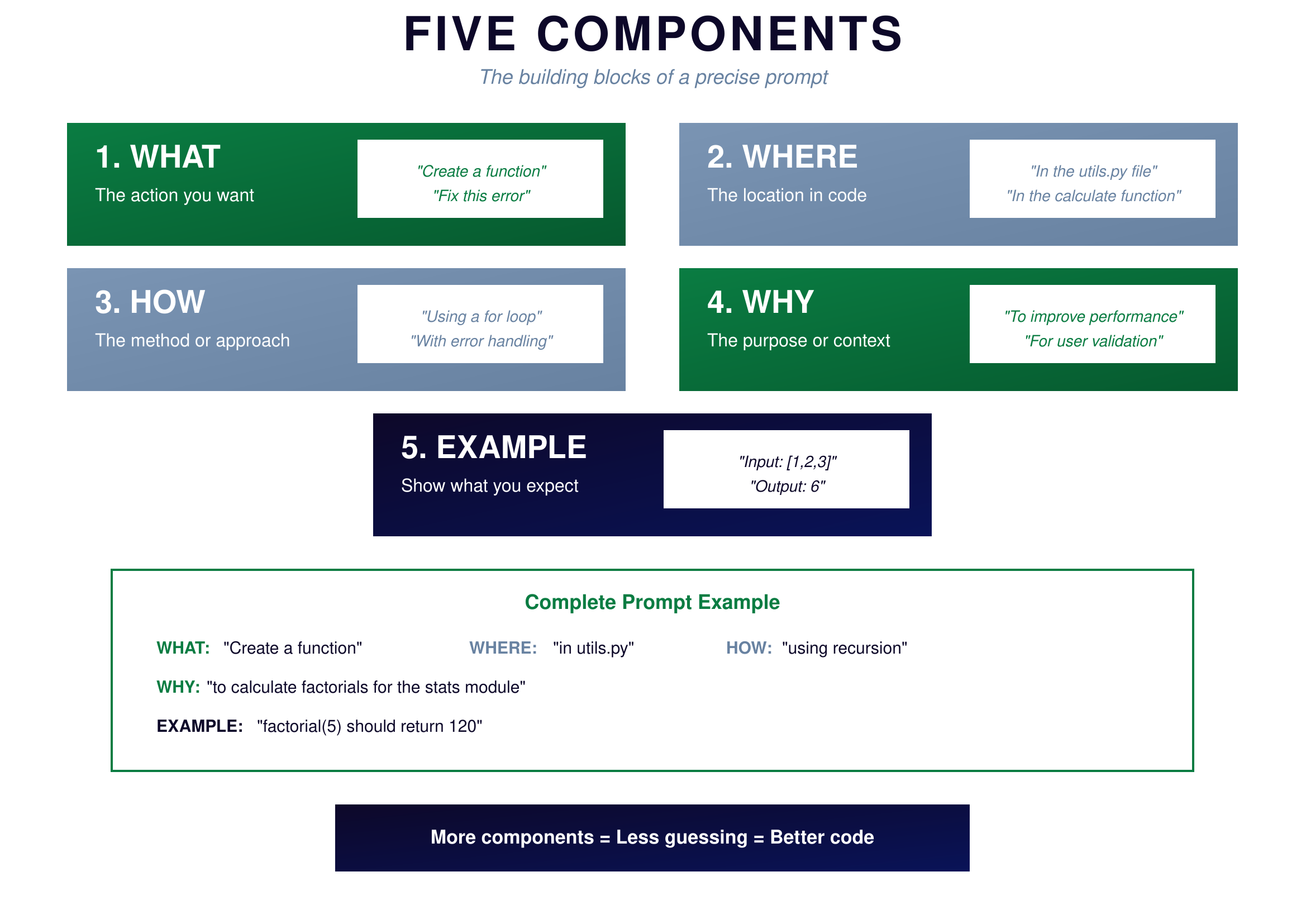
Figure 5.2: Five Components — The framework for precise prompts
{: .diagram-caption}
{: .chapter-diagram}
Figure 5.2: Five Components — The framework for precise prompts
{: .diagram-caption}
The first component is what you want—the action. This is the verb of your prompt: "Create a function" or "Fix this error" or "Explain this code." Start with a clear action so AI knows the type of response you need.
The second component is where it happens—the location or context. You might say "in the utils.py file" or "in the calculate function" or "for this data structure." This tells AI where to focus its attention and keeps the response targeted.
The third component is how you want it done—the method or approach. Specifying "using a for loop" or "with error handling" or "using the pandas library" constrains how AI solves the problem. Without this, AI picks its own approach, which might not fit your codebase.
The fourth component is why you need it—the purpose. Explaining "to improve performance" or "for user validation" or "to match the existing code style" gives AI intent to align with. When AI understands your goal, it makes better choices.
The fifth component is an example of what you expect. Showing "Input: [1,2,3], Output: 6" or saying "like this existing function but for temperature" removes ambiguity about the desired result. Examples are often the single most effective way to clarify what you want.
You don't always need all five components, but the more you include, the better your results. When a prompt isn't working, run through these components and add the ones you're missing.
Try It Yourself
Compare vague vs precise prompts:
- Vague: "Help with math" → Precise: "Write a function that calculates compound interest"
- "Create a Python function called compound_interest that takes principal, rate (as decimal), and years, returns the final amount rounded to 2 decimals"
- "Add an example: principal=1000, rate=0.05, years=10 should return 1628.89"
- "Include error handling for negative values"
- "Add a docstring explaining what the function does"
- "Write a test case that verifies the calculation is correct"
Key Takeaway
Every minute you spend making your prompt more precise saves five minutes of iteration later. Use the five components—What, Where, How, Why, and Example—as a checklist. When AI gives you something wrong, ask yourself: "What was I not specific enough about?" The answer is almost always in the prompt.
In the next chapter, we'll learn how to give effective feedback when AI's first attempt isn't quite right.