Chapter 6: Feedback
AI gave you something. It's not quite right. What do you say next?
This is where most beginners fail. They give bad feedback, and then wonder why AI keeps giving them wrong answers.
 {: .chapter-diagram}
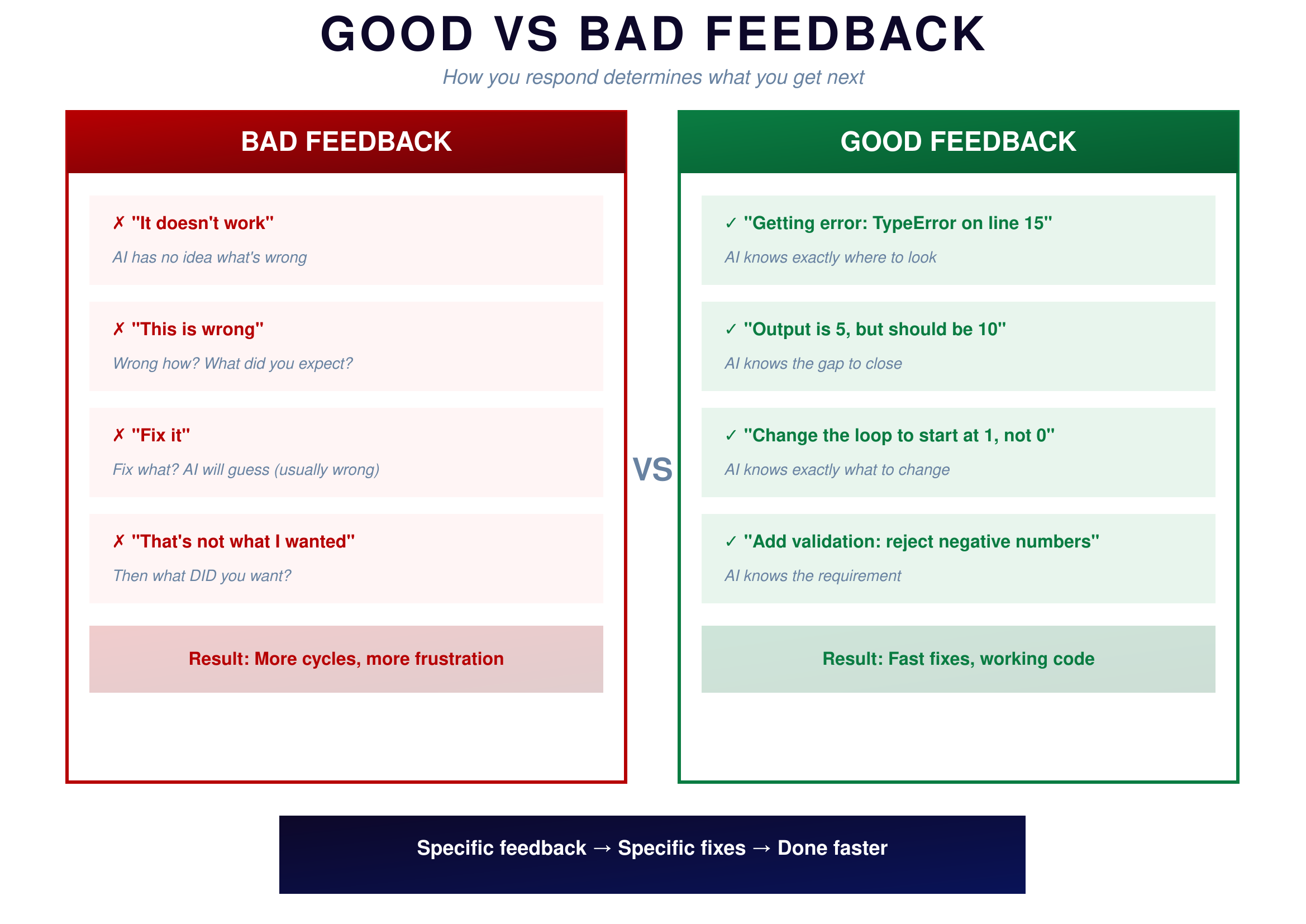
Figure 6.1: Good vs Bad Feedback — What works and what doesn't
{: .diagram-caption}
{: .chapter-diagram}
Figure 6.1: Good vs Bad Feedback — What works and what doesn't
{: .diagram-caption}
Bad feedback leaves AI guessing. "It doesn't work" tells AI nothing about what's wrong—doesn't work how? What happened? What did you expect? Saying "This is wrong" raises the question: wrong how? What's the correct behavior? "Fix it" provides no direction—fix what? AI will guess, and it will guess wrong. "That's not what I wanted" begs the question: then what DID you want? AI can't read your mind.
Good feedback is specific and actionable. "Getting error: TypeError on line 15" tells AI exactly where to look. "Output is 5, but should be 10" defines the gap AI needs to close. "Change the loop to start at 1, not 0" gives AI the exact modification needed. "Add validation: reject negative numbers" specifies the new requirement clearly.
See the pattern? Good feedback tells AI exactly what's wrong and often suggests what needs to change. The more information you provide, the faster you get to working code.
The Feedback Formula
Here's a formula you can use every time AI gives you something that's not quite right.
 {: .chapter-diagram}
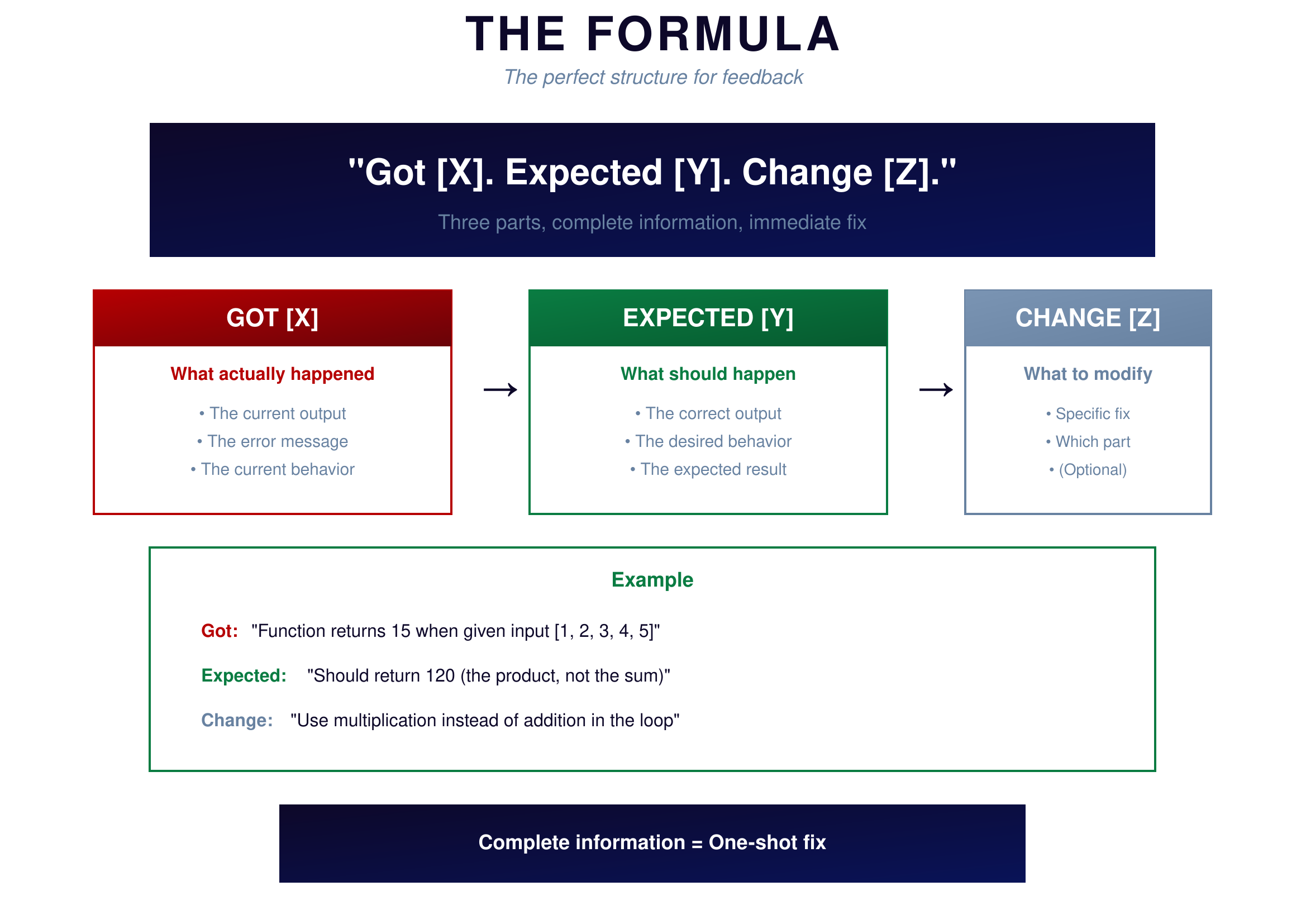
Figure 6.2: The Feedback Formula — Got X, Expected Y, Change Z
{: .diagram-caption}
{: .chapter-diagram}
Figure 6.2: The Feedback Formula — Got X, Expected Y, Change Z
{: .diagram-caption}
The formula is simple: "Got [X]. Expected [Y]. Change [Z]." Three parts. Complete information. Immediate fix.
The first part describes what actually happened—the current output, the error message, the current behavior you're seeing. Be specific here. Copy-paste exact values and messages rather than paraphrasing them.
The second part describes what should happen instead—the correct output, the desired behavior, the expected result. This gives AI a clear target to aim for. Without knowing what you wanted, AI can't tell what needs to change.
The third part suggests what to modify—the specific fix, which part to change, what operation to use instead. This part is optional but helpful when you have a sense of what's wrong. Even a guess helps AI narrow down the problem.
Here's an example in action. You ask AI for a function to calculate the product of a list, and it gives you something that returns 15 for input [1, 2, 3, 4, 5]. You know the product should be 120. Using the formula: "The function returns 15 for input [1,2,3,4,5] but should return 120—it's calculating the sum instead of the product. Change the addition to multiplication in the loop."
AI now has everything it needs. One response, done.
Try It Yourself
Practice giving good feedback:
- Bad: "It doesn't work" → Good: "The function returns None instead of a number"
- "Got 15, expected 120—the function is adding instead of multiplying"
- "Error: IndexError at line 8—the loop goes one step too far"
- "The output format is '5.0' but I need '5.00' with exactly two decimal places"
- "Results are correct but too slow—takes 10 seconds for 1000 items"
- "The function works but crashes when the input list is empty—add a check for that"
Key Takeaway
When AI gives you something wrong, resist the urge to say "fix it" and instead use the formula: Got [X], Expected [Y], Change [Z]. The more specific your feedback, the faster AI can correct the issue. Every piece of information you provide eliminates guesswork and gets you closer to done.
In the next chapter, we'll explore how to give AI the context it needs to understand your problem fully.