Chapter 9: Common Pitfalls
Let's talk about mistakes. Every beginner makes these. Now you won't.
 {: .chapter-diagram}
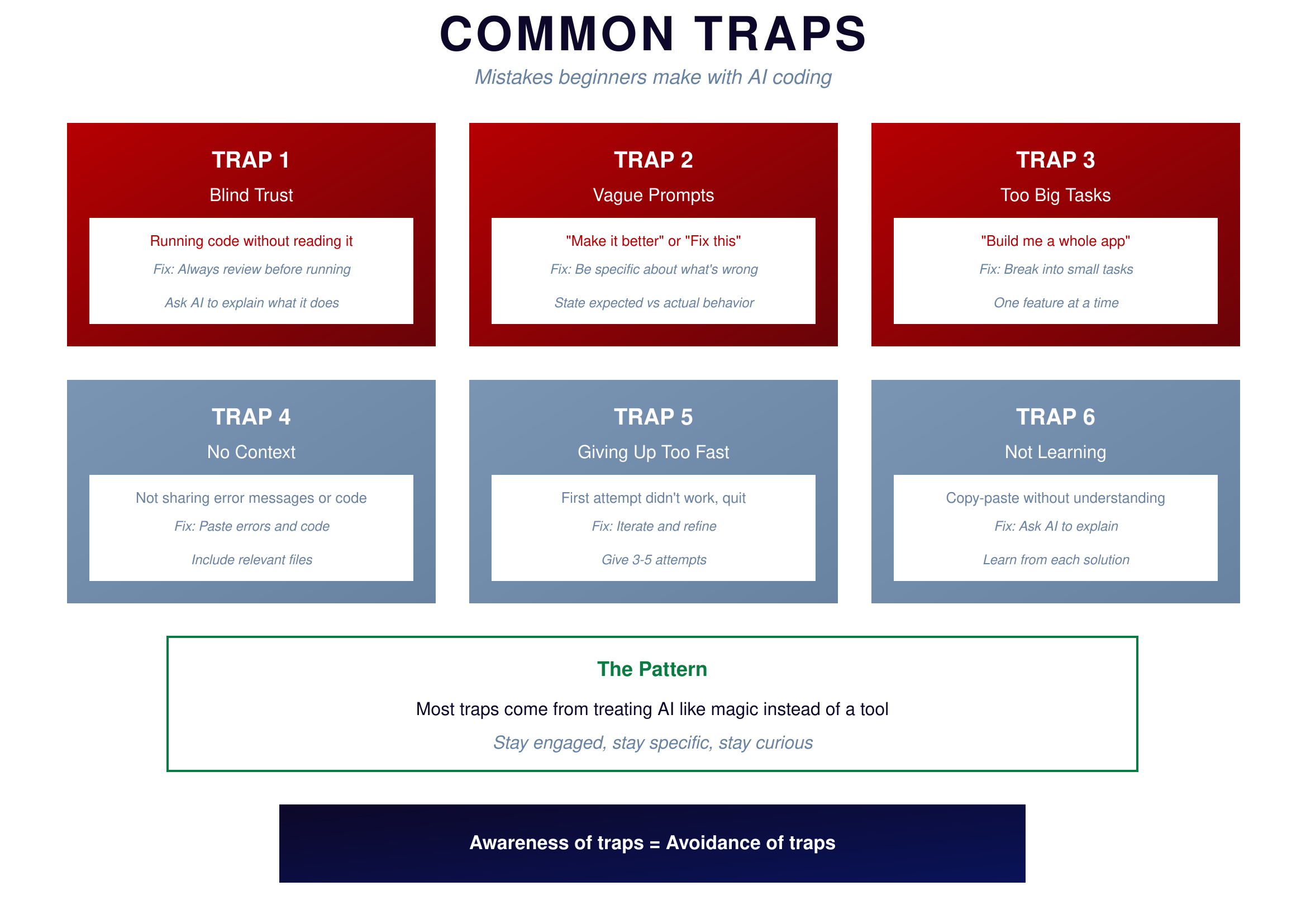
Figure 9.1: Common Traps — Mistakes everyone makes
{: .diagram-caption}
{: .chapter-diagram}
Figure 9.1: Common Traps — Mistakes everyone makes
{: .diagram-caption}
There are six traps that catch nearly every beginner. The first is blind trust—running code without reading it. AI-generated code can have bugs, security issues, or simply not do what you think. Always review before running, and ask AI to explain what the code does if you're unsure.
The second trap is vague prompts. Requests like "make it better" or "fix this" force AI to guess what you mean, and it will usually guess wrong. Be specific about what's wrong. State the expected behavior versus the actual behavior.
The third trap is asking for too much at once. Requesting AI to "build me a whole app" gives it too much to handle. AI loses focus, you lose control, and the result satisfies no one. Break the work into small tasks and tackle one feature at a time.
The fourth trap is providing no context. Not sharing error messages or relevant code leaves AI working blind. It can't fix what it can't see. Paste the errors, include the code, share the full context.
The fifth trap is giving up too fast. Many beginners quit after the first attempt fails, but they might have been one iteration away from success. Give it 3-5 attempts before considering a different approach.
Finally, the sixth trap is not learning from the code you use. Copy-pasting solutions without understanding them means you never build skills, and you'll face the same problems again. Ask AI to explain. Learn from each solution. The few minutes spent understanding pays off many times over.
Trust Levels
How much should you trust AI's output? It depends on the consequences of failure.
 {: .chapter-diagram}
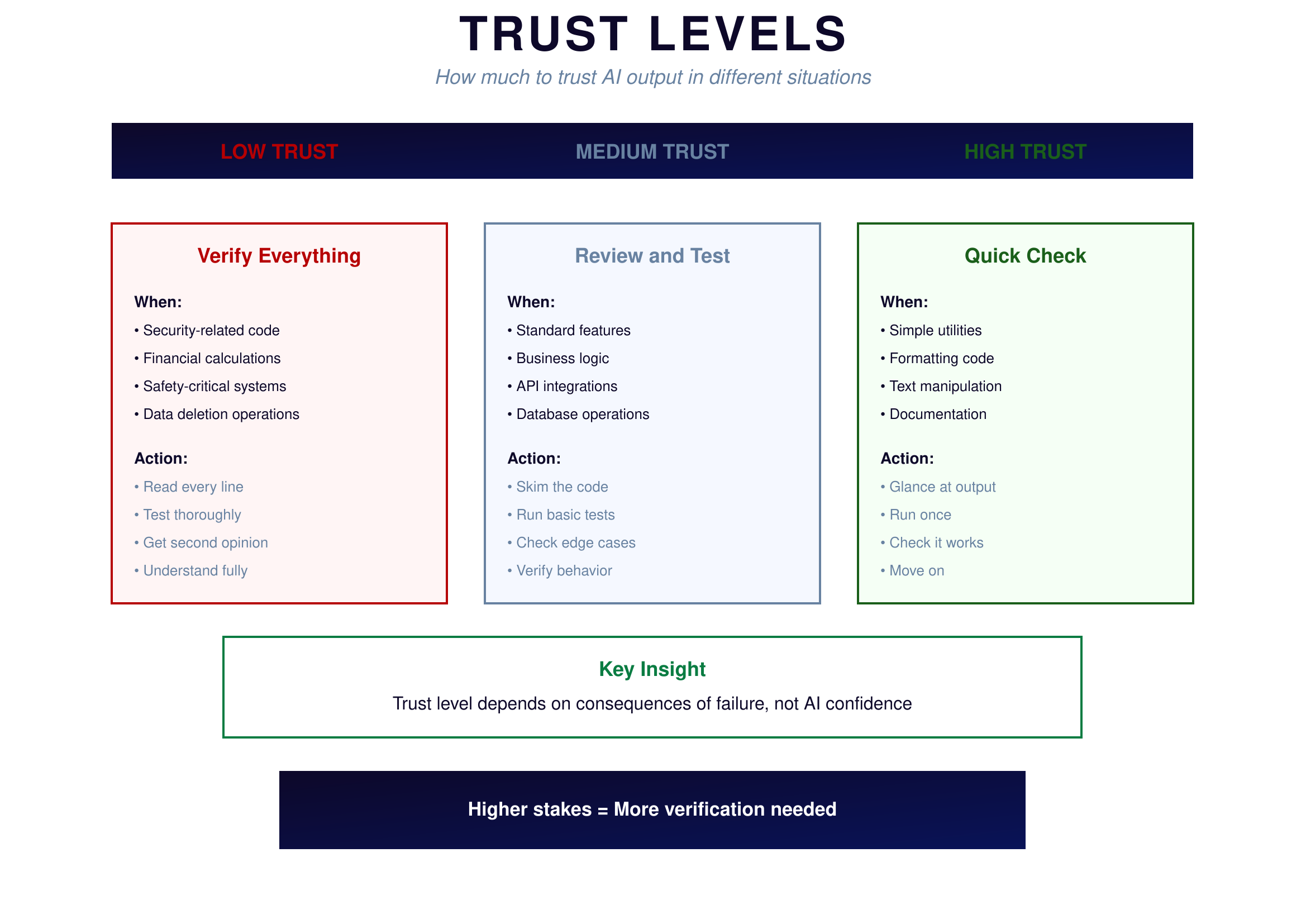
Figure 9.2: Trust Levels — How much verification is needed
{: .diagram-caption}
{: .chapter-diagram}
Figure 9.2: Trust Levels — How much verification is needed
{: .diagram-caption}
When consequences of failure are severe, you need low trust—verify everything. This means security-related code, financial calculations, safety-critical systems, and data deletion operations. Read every line. Test thoroughly. Get a second opinion if needed. Understand fully before deploying.
For standard work, medium trust is appropriate—review the code and test it. This covers standard features, business logic, API integrations, and database operations. Skim the code to understand its structure. Run basic tests. Check edge cases. Verify the behavior matches expectations.
When stakes are low, high trust works fine—a quick check is sufficient. This applies to simple utilities, formatting code, text manipulation, and documentation. Glance at the output, run it once, check that it works, and move on.
The key insight is that trust level depends on consequences of failure, not on how confident AI seems. AI might be very confident about code that deletes your database. That doesn't mean you should trust it blindly. For a calculator handling financial data or safety-critical applications? Low trust—verify everything. For a script that renames files in a folder? Higher trust—a quick check suffices.
Try It Yourself
Practice avoiding the traps:
- Instead of "Fix this" → "The function returns None on line 12. Expected: a list of numbers."
- Instead of "Make it better" → "Make the function 50% faster by avoiding repeated calculations"
- Instead of "Build me an app" → "Create a function that reads a CSV file and returns the sum of column A"
- "Explain what this code does line by line: [paste code]"
- "What security issues might this code have? [paste code]"
- "I've tried 5 times and keep getting the same error. Here's a fresh start: [new description]"
Key Takeaway
The six traps—blind trust, vague prompts, tasks too big, no context, giving up fast, and not learning—catch most beginners. Now that you know them, you can avoid them. Stay engaged with the code, be specific in your requests, break work into small pieces, share full context, persist through difficulties, and always aim to understand what AI gives you.
In the next chapter, we'll tackle debugging—what to do when things go wrong.