Chapter 16: Quality
Testing
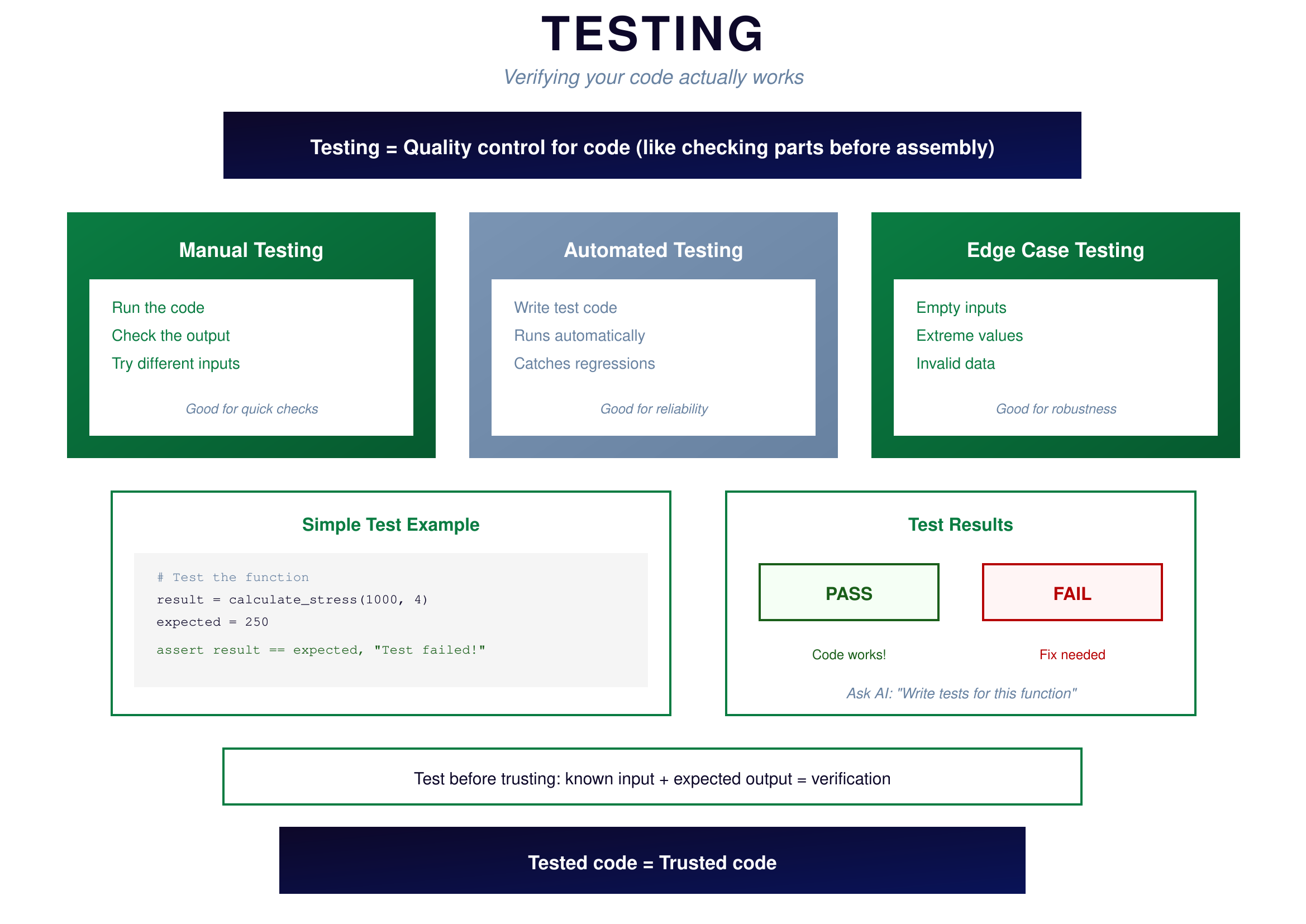
Testing is quality control for code. Just as you wouldn't ship a bolt without verifying its dimensions, you shouldn't use code without verifying it works.
 {: .chapter-diagram}
Figure 16.1: Testing — Verify it works
{: .diagram-caption}
{: .chapter-diagram}
Figure 16.1: Testing — Verify it works
{: .diagram-caption}
Manual testing is the simplest approach: run the code, check the output, try different inputs. This is good for quick checks and exploring behavior. You're already doing this naturally whenever you run code and look at the results.
Automated testing means writing test code that runs automatically and repeatedly. You define inputs and expected outputs, and the test framework verifies they match. This is good for reliability because tests catch regressions when you change code—if you accidentally break something, the tests tell you immediately.
Edge case testing examines boundary conditions: empty inputs, extreme values, invalid data. This is good for robustness because edge cases are where most bugs hide. What happens with zero? With negative numbers? With empty lists? If you haven't tested these, you don't really know if your code works.
The simplest test is an assertion: assert result == expected, "Test failed!" If the result doesn't match the expected value, you'll know immediately. Ask AI to write tests for your functions—it's excellent at generating test cases.
Project Structure
As projects grow beyond a single file, organization matters. A well-structured project is easier to understand, maintain, and share.
 {: .chapter-diagram}
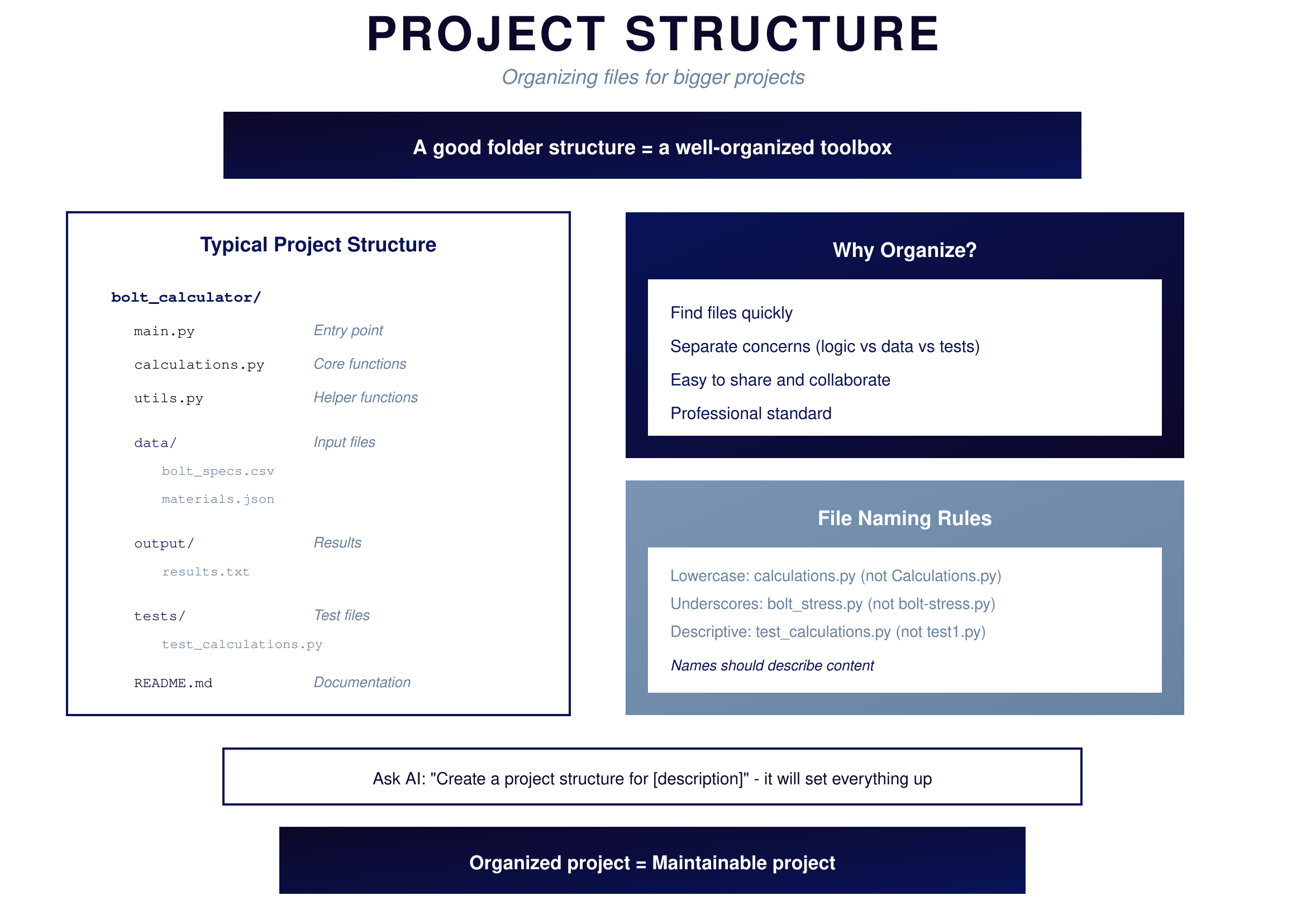
Figure 16.2: Project Structure — Organized files
{: .diagram-caption}
{: .chapter-diagram}
Figure 16.2: Project Structure — Organized files
{: .diagram-caption}
A typical project structure separates concerns. The entry point main.py is where execution starts. Core functions live in calculations.py. Helper utilities go in utils.py. Input files live in a data/ folder. Output files go to output/. Test files live in tests/. Documentation goes in README.md.
This organization helps you find files quickly, separates different concerns (logic vs data vs tests), makes sharing and collaboration easy, and follows professional standards that others expect.
For file naming, use lowercase (calculations.py not Calculations.py), use underscores (bolt_stress.py not bolt-stress.py), and be descriptive (test_calculations.py not test1.py). Names should describe content.
Try It Yourself
Practice testing and organizing:
- "Write a test that checks if calculate_stress(1000, 4) returns 250"
- "What edge cases should I test for a function that divides two numbers?"
- "Add an assertion to verify the result is not negative"
- "Create a project structure for a calculator app"
- "What's a good naming convention for test files?"
- "Show me how to test what happens when input is an empty list"
Key Takeaway
Quality comes from testing and organization. Test manually for quick checks, write automated tests for reliability, and always test edge cases. Organize your project with separate files for different concerns, keep data and output separate from code, and include tests and documentation. Tested code is trusted code, and organized code is maintainable code.
In Part 5, you'll put everything together and build your first complete project.