Chapter 12: Reading Code
Here's a secret: You don't need to write code to understand it.
Reading code is like reading a recipe. You can follow along without being a chef. You can understand what's happening without knowing how to create it from scratch. This skill—reading and understanding code—will serve you even if you never write a single line yourself.
 {: .chapter-diagram}
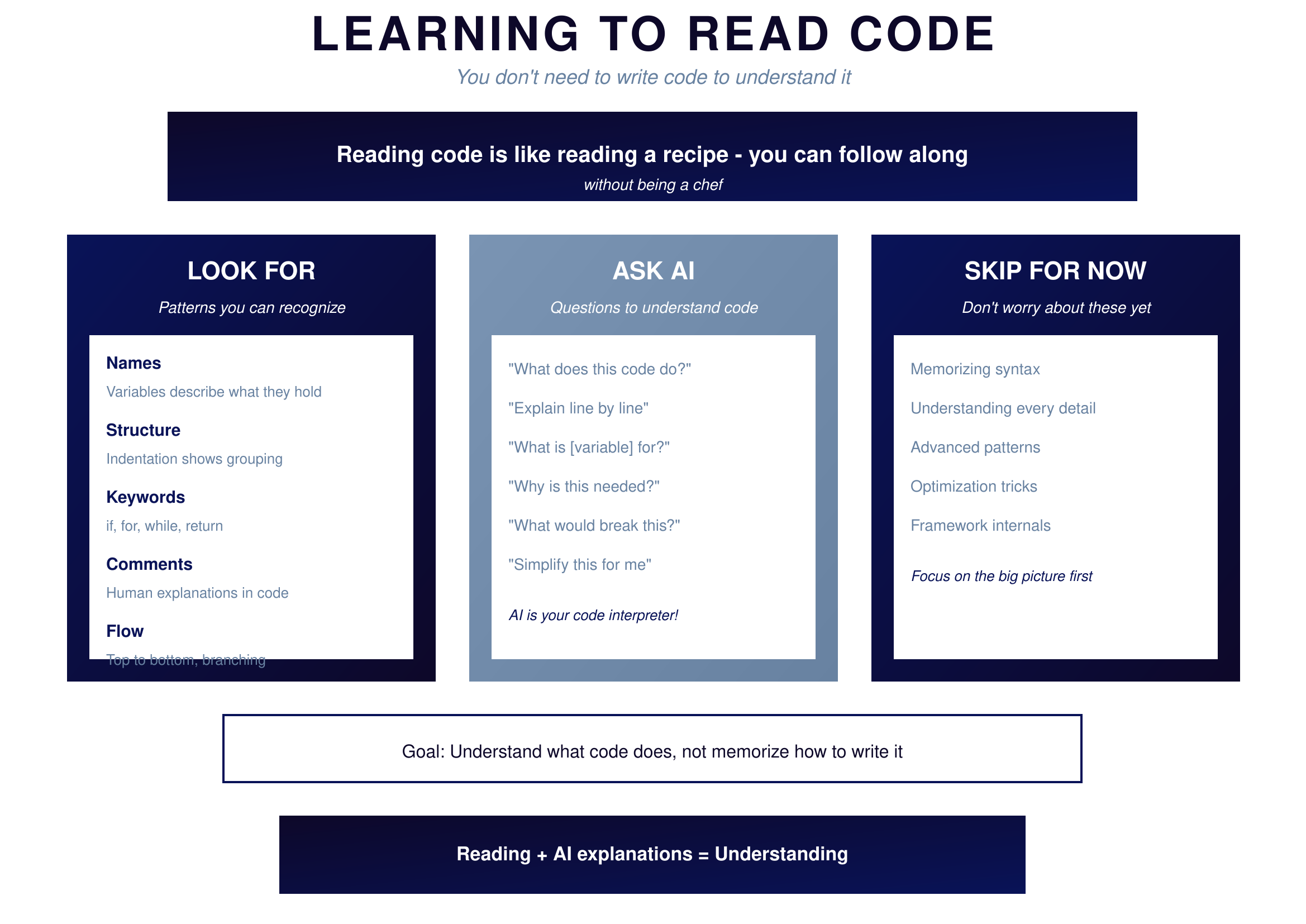
Figure 12.1: Learning to Read Code — What to look for
{: .diagram-caption}
{: .chapter-diagram}
Figure 12.1: Learning to Read Code — What to look for
{: .diagram-caption}
When you look at code, focus on these patterns. Names tell you what things represent—bolt_diameter, max_stress, is_valid describe what data they hold. Structure shows grouping through indentation; things indented under an if statement only happen when that condition is true. Keywords like if, for, while, and return control the flow and work the same way in almost every language. Comments starting with # are human explanations written for you. And flow runs top to bottom unless something branches it.
When you encounter code you don't understand, AI is your interpreter. Ask "What does this code do?" or "Explain line by line" or "What is [variable] for?" or "Why is this needed?" or "What would break this?" AI excels at explaining code because it's seen millions of examples.
Don't worry about memorizing syntax, understanding every detail, advanced patterns, or optimization tricks. Focus on the big picture first. Your goal is to understand what code does, not to memorize how to write it.
Code Anatomy
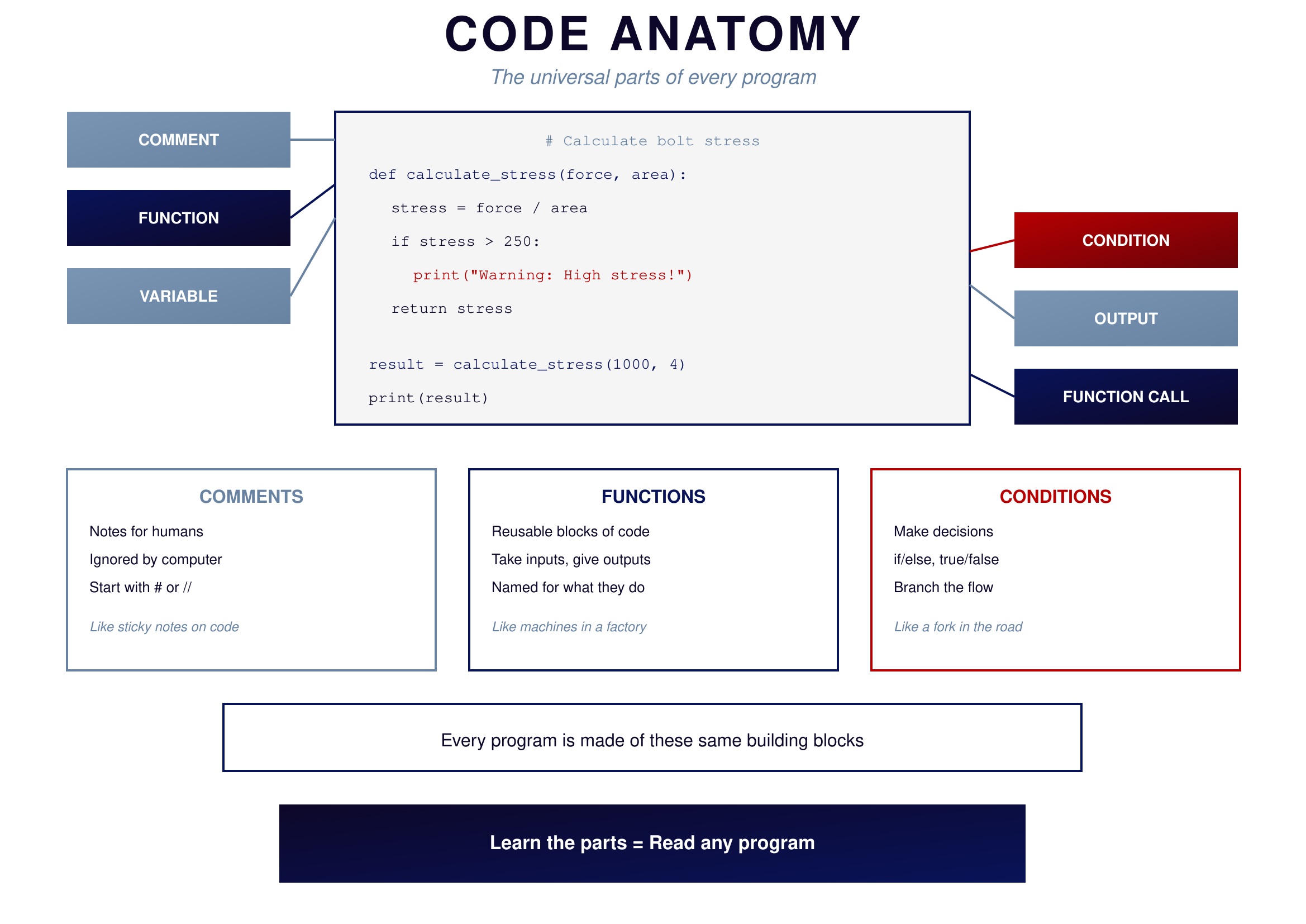
Every program is made of the same universal parts. Once you recognize these building blocks, you can read any code.
 {: .chapter-diagram}
Figure 12.2: Code Anatomy — The universal parts
{: .diagram-caption}
{: .chapter-diagram}
Figure 12.2: Code Anatomy — The universal parts
{: .diagram-caption}
A comment like # Calculate bolt stress is a note for humans. The computer ignores it completely. Think of comments as sticky notes attached to the code.
A function like def calculate_stress(force, area): is a reusable block of code that takes inputs and gives outputs. It's named for what it does. Think of functions like machines in a factory.
A variable like stress = force / area is a named container for data. The name stress holds the result of the calculation so you can use it later.
A condition like if stress > 250: makes a decision based on whether something is true or false. It branches the flow like a fork in the road.
Output like print("Warning: High stress!") shows results to the user, making the invisible visible.
A function call like calculate_stress(1000, 4) uses a function you defined. You put in values and get back a result.
Try It Yourself
Practice reading code with AI:
- "What does this code do? [paste any code snippet]"
- "Explain this line by line:
result = [x*2 for x in range(5) if x > 1]" - "What is the variable 'total' used for in this function? [paste function]"
- "Why is there a try/except block here? [paste code]"
- "What would happen if the input list is empty? [paste code]"
- "What are the inputs and outputs of this function? [paste function]"
Key Takeaway
Reading code is a learnable skill separate from writing it. Focus on names (what data represents), structure (what belongs together), flow (top to bottom with branches), and patterns (the same building blocks everywhere). When you're unsure, ask AI to explain. You don't need to memorize syntax—you need to understand intent.
In the next chapter, we'll dive deeper into the core concepts that appear in every program.